







How to Create a Website: A Complete Guide From Idea to Launch
A successful website starts with a clear goal, then the right domain, technology and design, all the way to testing, launch and continuous improvement that delivers real results.

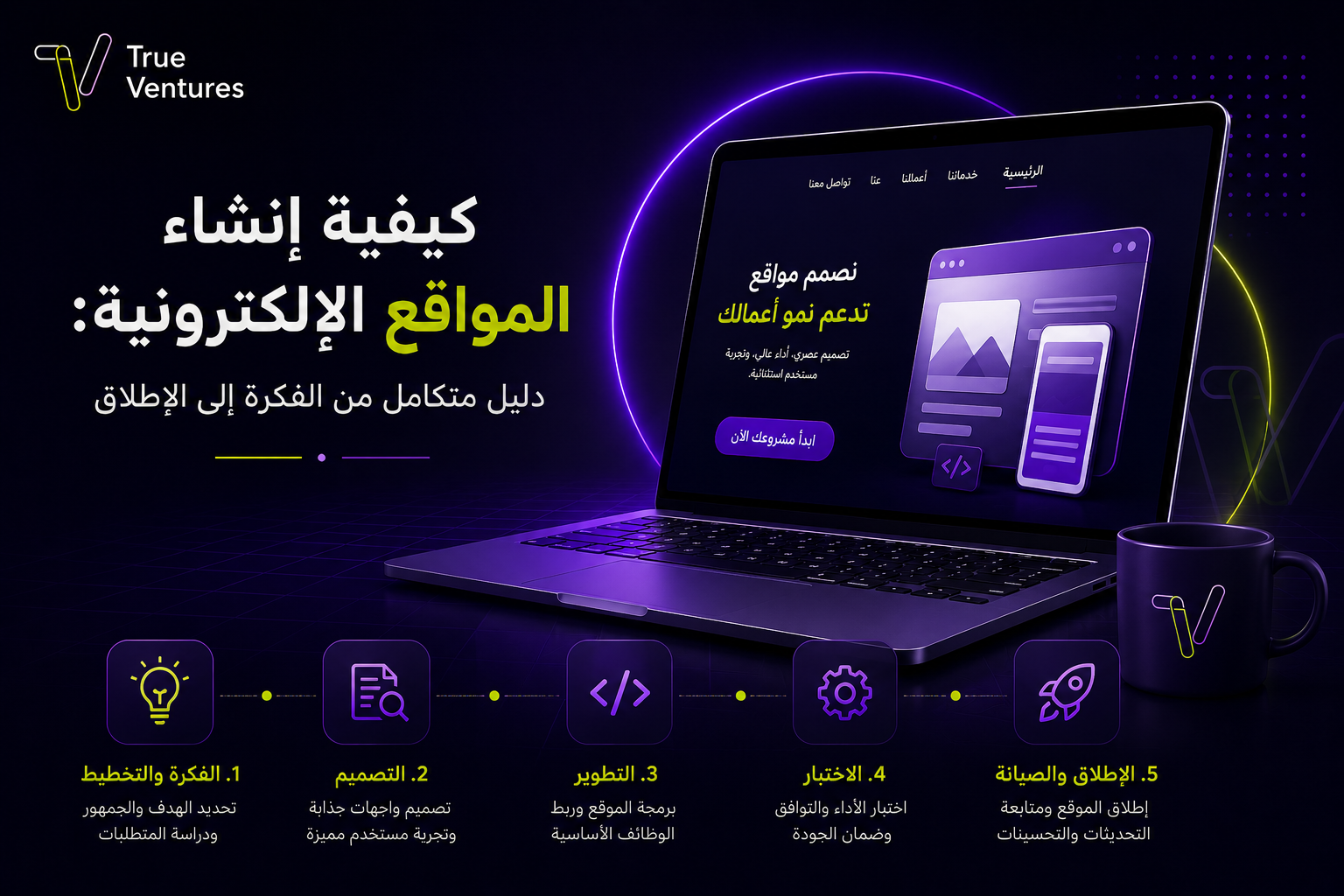
Wondering how to create a website that actually works for your business? It starts with a clear goal, followed by choosing the right domain, technology and design, and carries through to testing, launch and continuous improvement that delivers real results.
A website has become one of the most valuable digital assets any business can own. It does far more than display information: it can attract customers, take orders, sell products, automate services and build trust in your brand. But knowing how to create a website professionally takes planning that connects your project goals, your users’ needs and the technical build.
In this guide, we walk through the stages of building and designing a complete website, how to choose the right domain name and development approach, the difference between ready-made templates and custom design, and the key criteria for choosing a specialist web design company.
Why an Online Store Matters for Business Growth
An online store gives customers a sales channel that is open around the clock and lets your business reach an audience far beyond its physical location. It also helps you present products in an organised way, streamline payment and shipping, analyse customer behaviour and measure the results of your marketing campaigns.
The main benefits of building an online store include:
- Taking orders at any time and from any region.
- Relying less on traditional branches.
- Displaying and categorising a large number of products with ease.
- Offering multiple payment and shipping options.
- Running offers and discounts flexibly.
- Collecting data that helps you understand customer interests.
- Connecting the store to inventory, sales and customer service systems.
- Improving your visibility in search results and reaching new customers.
Success doesn’t come from simply adding products to a website. A store needs a clear buying journey, persuasive product pages, published policies, fast performance and a comfortable mobile experience.
Steps to Create and Design a Website
Building a website begins long before anyone writes code or picks colours. A professional website is built on a solid understanding of the business, the audience and the results it needs to deliver.
1. Define the Website’s Goal
Decide on the core job your website will do. Is it a company profile website? An online store? A service booking platform? A blog? Or a web-based system with advanced functions?
A clear goal helps you define the pages, features and technologies you need, and stops you from adding features that don’t serve the project.
2. Research Your Audience and Competitors
Get to know your target audience: their needs, the devices they use and the questions they search for. Then analyse competitor websites to identify their strengths and the gaps you can fill, without copying their designs or content.
3. Define the Project Scope
Create a list of the pages and functions you need, such as:
- Home page.
- About us.
- Services or products.
- Blog.
- FAQs.
- Contact page.
- Sign-up and login.
- Payment and shipping.
- Admin dashboard.
- Integration with external systems.
Defining the scope early helps you set a realistic budget and a clear timeline.
4. Choose a Domain Name and Hosting
The domain name is the address users type to reach your website, while hosting is the environment where your website’s files and databases are stored. Choose hosting that is fast, secure and able to handle growing traffic.
5. Plan the User Experience
The sitemap and the paths visitors take between pages are mapped out, then wireframes are prepared to show where content, buttons and menus will sit before the final design begins.
6. Design the Website Interfaces
At this stage, the brand identity is applied and the colours, fonts, images and button styles are chosen. The design should be clear, responsive on phones and tablets, and guide users effortlessly towards the action you want them to take.
7. Development and System Integration
The developer turns the design into a fully working website, building the admin dashboard and databases and connecting payment gateways or customer and inventory management systems where needed.
8. Testing and Launch
The website is tested on different browsers and devices, with checks on speed, security, forms, links and payment flows. Once any issues are fixed, it goes live on the main domain and becomes available to the public.
How Do I Choose the Right Domain Name for My Website?
Choosing a domain name is an important decision because it becomes part of your brand identity. Ideally, it should be:
- Short and easy to type and pronounce.
- Linked to your business or brand name.
- Free of unnecessary numbers and symbols.
- Distinct from competitors’ names and registered trademarks.
- Usable as your business expands in the future.
- Available with a suitable extension, such as .com or .sa.
There’s no need to cram your keyword into the domain. A memorable name and a strong brand matter more than a long address chosen to improve search visibility.
Before registering it, check how it is spelled in Arabic and English, search for it on search engines and social media, then register it in the name of the business or project owner and keep the access and renewal details safe.
What Are the Ways to Design a Website?
The right way to design a website depends on your budget, timeline and the level of customisation you need.
Website Builders
These let you build simple websites with visual tools and little programming experience. They suit company profile pages and small projects, but they can limit growth and advanced integrations.
Content Management Systems (CMS)
Systems such as WordPress help you build websites and blogs and manage content through a flexible admin dashboard. Quality here depends on the theme, plugins, hosting and the experience of the team building it.
E-Commerce Platforms
These suit businesses that want to launch a store quickly, with built-in features for managing products, orders, payments and shipping. They may be enough for standard stores, while less conventional business models need deeper customisation.
Custom Development
Here, the website is built around your project’s exact requirements, giving you greater control over user experience, functionality, integrations and scalability. It suits digital platforms, portals, systems and projects with their own operational processes.
Steps to Design a Complete Website
A complete website is more than an attractive design. It brings together planning, content, technology, marketing and security.
Analyse the Business Model
You need to understand how the project creates value and meets its goals. Is the aim to generate leads, sell directly, sell subscriptions or deliver an online service? The user journey and performance indicators are built on that answer.
Build the Site Structure and Content
Content is organised in a logical hierarchy that helps both visitors and search engines understand the website. Every page needs a clear purpose, an accurate title and a fitting call to action.
Create an Easy User Experience
Users should reach their goal in as few steps as possible. That means simplifying menus and forms, making prices or benefits clear, keeping contact options visible and avoiding distracting elements.
Design for Smartphones
Google uses the mobile version of a website for indexing and ranking, so your website must keep its important content and functions across every screen size. Responsive design is also the preferred approach, as it simplifies management and delivers a consistent experience.
Apply Security Requirements
Security basics include an SSL certificate, keeping website components updated, restricting user permissions, taking backups, protecting forms and databases, and publishing a clear privacy policy.
Prepare the Website for Search Engines
This includes clean URLs, suitable titles and meta descriptions, internal linking, compressed images, alt text, submitting a sitemap and fixing duplicate pages and technical errors.
Measure and Improve
After launch, track traffic, conversion rates, your most-viewed pages and the points where users leave. This data helps you develop your content and improve the user experience instead of relying on guesswork.
How to Choose a Specialist Web Design Company
The right company doesn’t open with a ready-made design. It starts by understanding your project and its goals. When comparing companies, review the following criteria:
- Experience delivering similar projects.
- Clearly defined analysis, design and development stages.
- A high-quality portfolio on both mobile and desktop.
- The ability to deliver the integrations you need.
- Attention to performance, security and scalability.
- A proposal that specifies pages, features and cost.
- Clarity on ownership of the code, domain, hosting and data.
- Real testing before handover.
- Training, support and maintenance after launch.
- An understanding of the Saudi market and its regulatory requirements.
Avoid choosing on the lowest price alone: a poorly built website may need a complete rebuild once traffic grows or new features are added.
Custom Website Design vs Ready-Made Templates: What Is the Difference?
| Criterion | Ready-Made Templates | Custom Design and Development |
| Speed of delivery | Usually faster | Takes longer |
| Initial cost | Lower | Relatively higher |
| Customisation | Limited by the template’s capabilities | Flexible to fit the project’s needs |
| Brand identity | May look like other websites | A unique brand experience |
| Integrations | Depend on available plugins | Custom integrations can be built |
| Scalability | Suited to simple requirements | Better for growing projects |
| Performance | Affected by template and plugin quality | Can be optimised around the project’s architecture |
| Best for | Simple websites and fast launches | Platforms and projects with special requirements |
A ready-made template is not a bad choice in itself: it can be the right way to test an idea or launch a website with limited functions. Custom development becomes the smarter investment when your business needs a distinctive experience, tailored processes, multiple integrations or long-term growth.
FAQs About How to Create a Website
How do I create a website from scratch?
Start by defining your website’s goal and audience, then choose a domain name, hosting and build method. Next, prepare the structure and content, design the interfaces, and move on to development and testing before launch.
Can I create a website without coding experience?
Yes, you can use website builders and content management systems. However, websites that need special features, integrations or a high level of security and performance require a specialist team.
How long does it take to create a website?
It depends on the number of pages and functions and how ready your content is. A simple company profile website may take a few weeks, while online stores and custom platforms need longer for analysis, development and testing.
How much does it cost to create a website?
The cost depends on the type of website, the design, the number of pages and languages, the admin dashboard, integrations, and security and support requirements. That is why every project should be priced once its scope is precisely defined.
Is it better to use a ready-made template or custom development?
A template suits a limited budget and simple requirements, while custom development is the better fit for projects that need a distinctive experience, tailored functions and room to grow.
Does a website need maintenance after launch?
Yes. Maintenance covers software updates, performance and security monitoring, bug fixes, backups, and ongoing improvements to content and user experience.
How do I get my website to show up on Google?
Start with an indexable technical structure, useful content that matches search intent, good speed, a responsive experience and clear internal links. Then track performance with analytics tools and keep improving your pages.
What are the essential pages for a company website?
They usually include the home page, about us, services, portfolio, blog, FAQs, contact and privacy policy. The exact pages may vary depending on the nature of the business.
Start Building Your Website With True Ventures
Knowing how to create a website goes well beyond buying a domain or picking a template. A successful website is a digital product that combines business analysis, user experience, secure development, content and continuous improvement.
With True Ventures, you can move from idea to a fully operational website or platform built to grow, through requirements analysis, experience and interface design, development and testing, then launch, support and data-driven optimisation. With its Saudi vision, regional technical expertise and quality and security standards, True Ventures builds solutions that serve your project’s needs today and are ready for its growth tomorrow.
If you are planning a company website, an online store or a specialist platform, talk to True Ventures to start your project on solid technical foundations and turn your idea into a digital experience that creates real value for your business and your customers.
Turn this guide into a plan.
Tell us where you are today. Our team will map the next steps with you.
The quickest way
Have a question? Ask us on WhatsApp.
Tell us what you are planning and our team will point you to the right people — no form to fill in.
We usually reply within minutes during working hours.