






Grocery App Development: From Product Management to Order Delivery

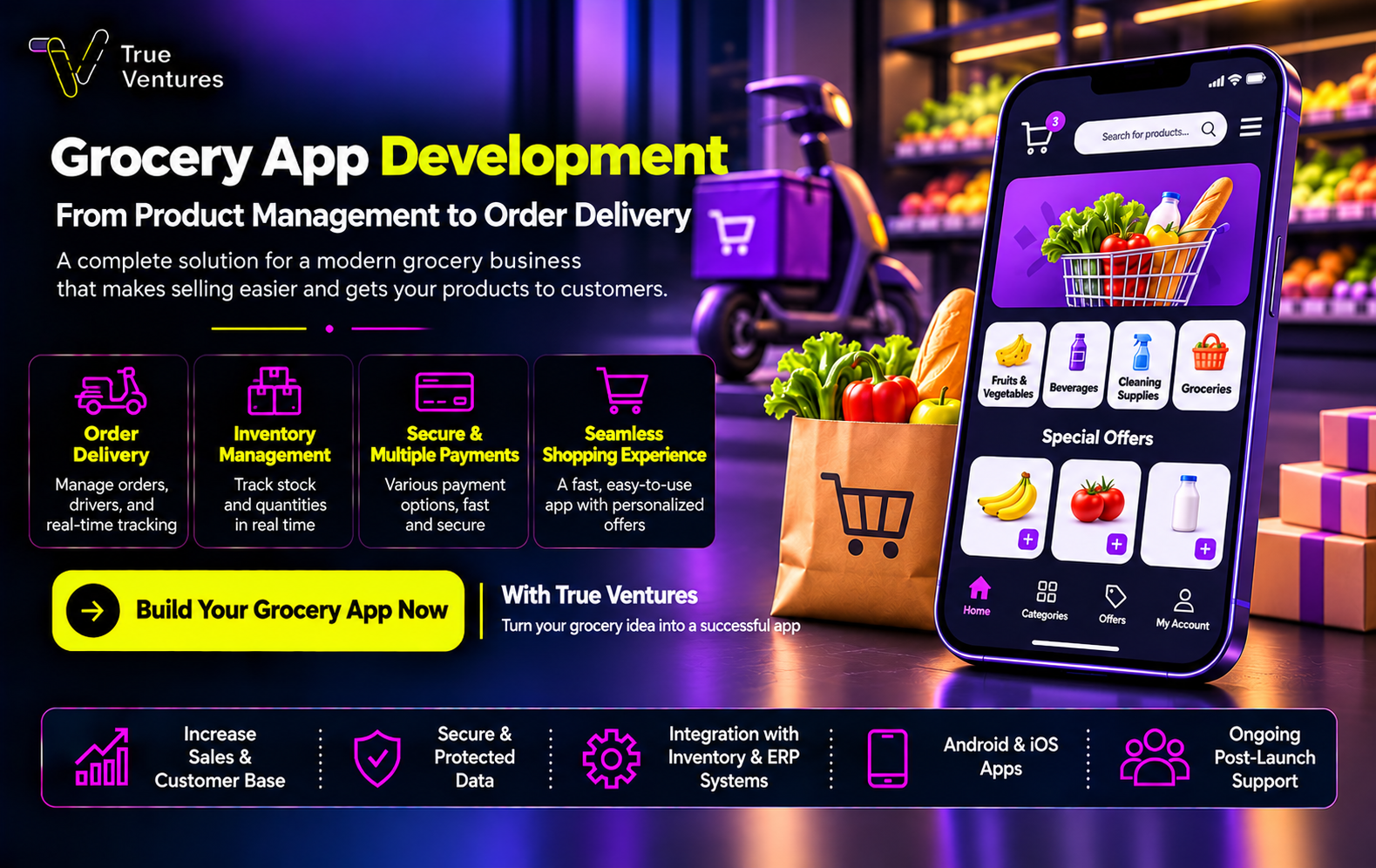
Successful grocery app development starts with understanding your store’s challenges: changing inventory, repeat orders, and delivery coordination. Here’s how to turn these needs into a shopping experience that supports business growth.
What Is Grocery App Development, and How Does It Work?
Grocery app development involves building a digital system that allows customers to purchase their essentials while helping the store manage products, orders, and delivery through connected tools.
The journey starts when a customer enters their delivery address or selects a pickup branch. The app then displays available products and prices. After the customer adds items to their cart and chooses a payment method, the order reaches the preparation team before being handed to a driver or made ready for collection.
A successful app connects the shopping experience with actual store operations: displayed quantities should reflect availability, and delivery slots should match the capacity of the branch and delivery team.
When Does a Grocery Store or Supermarket Need Its Own App?
Building a grocery app becomes more valuable when handling orders manually leads to wasted time or repeated mistakes, particularly when customers regularly purchase the same essentials.
Signs that your business may benefit from an app include:
- Orders scattered across phone calls and messages.
- Difficulty informing customers about price changes and unavailable items.
- Multiple branches that need coordinated order management.
- A need to simplify repeat purchases of weekly essentials.
- Limited visibility into product demand and order cancellations.
Before investing, define the problem you want to solve and how you will measure progress. Examples include reducing order entry time or increasing the percentage of completed orders.
Which Operating Model Suits Your Grocery App?
Your operating model determines the app’s features, each party’s responsibilities, and the cost of development and ongoing management.
An App for a Single Grocery Store
This model displays one store’s products and serves a delivery area that matches its preparation and delivery capacity. It can be a suitable starting point when operations are centralized and clearly defined.
An App for a Supermarket Chain
This model connects several branches within one system. Inventory, prices, opening hours, and delivery areas can vary between locations.
A Marketplace for Multiple Grocery Stores
This model allows independent stores to receive orders through one platform. It requires separate permissions, financial settlements, and subscription or commission management.
Start with a model you can operate effectively, then plan expansion around actual demand and business results.
What Do You Need Before Starting Grocery App Development?
Preparing your requirements helps reduce changes during implementation. Gather the following information before the design stage:
- Product data: Names, images, barcodes, sizes, and selling units.
- Pricing rules: Branch prices, promotions, and products sold by weight.
- Inventory source: Your point-of-sale system, ERP system, or existing records.
- Substitution policy: Whether to request approval or remove unavailable items.
- Delivery plan: Service areas, time slots, fees, and daily capacity.
- User permissions: Responsibilities for managers, order pickers, and drivers.
- Launch scope: Essential features and additions that can wait.
For example, selling vegetables by weight requires a clear method for calculating the final price and informing customers of any difference before the transaction is finalized.
What Are the Main Components of a Grocery App System?
The components depend on the size of the project, but typically include:
| Component | Purpose |
| Customer app | Browse products, place orders, and track progress |
| Store dashboard | Manage products, prices, inventory, and orders |
| Order preparation interface | View items and record quantities and substitutions |
| Driver interface | Receive delivery assignments and update their status |
| Central admin dashboard | Manage branches, permissions, and reports |
Some functions can share one interface during the initial launch. The system can also integrate with your existing point-of-sale software, so building a new checkout system is not always necessary.
The priority is to keep information moving clearly between teams and assign responsibility for every step.
Which Features Make a Grocery App Easy to Shop From?
Simple Registration and Login
Make products easy to access and request essential information at the appropriate stage. If you use verification codes, provide clear options for resending them and handling delivery failures.
Clear Categories and Search
Organize products into familiar categories and support searches using common product names. Barcode search can be added where useful. Display the size, price, and selling unit clearly.
Shopping by Item and Weight
Distinguish between individual items, packs, and kilograms. Explain when a displayed price is an estimate and how the final amount will be calculated.
Customer-Controlled Substitutions
Let customers choose what happens when an item is unavailable: approve a suggested alternative, remove the item, or request contact before preparation continues.
Saved Lists and Repeat Orders
Make recurring purchases easier while checking current prices and availability whenever an old order is reordered.
A Transparent Shopping Cart
Show delivery fees, discounts, and the total before confirmation. Explain any minimum order requirement early in the shopping journey.
How Does a Grocery App Manage Inventory and Branches?
Inventory management starts with choosing a reliable source for stock quantities and establishing how updates move between the app and in-store sales.
The system should support:
- Displaying stock from the branch preparing the order.
- Reserving quantities at a defined stage of the order process.
- Releasing reserved stock after cancellation or payment timeout.
- Recording adjustments, damaged goods, and returns.
- Alerting managers when important products run low.
- Monitoring integration errors and delayed updates.
Operational example: If three packs remain and a customer orders two, the quantity available to the next customer should reflect that reservation while accounting for simultaneous in-store purchases.
Technical integration should work alongside stocktaking and regular checks for differences between recorded and actual quantities.
How Is Grocery Order Preparation Managed?
Once an order is approved, the picker receives an organized list that can follow the store’s departments. The team records collected items, actual quantities, and unavailable products.
A practical preparation process includes:
- Assigning the order to a responsible employee.
- Checking products by barcode where available.
- Weighing products and updating their value through the agreed process.
- Sending substitutions to the customer for approval.
- Reviewing and packing the order.
- Marking it as ready for handover.
Set a clear deadline for responding to substitution requests and define what happens if the customer does not reply. Preparation and delivery procedures should also account for the handling requirements of chilled and frozen products.
How Do Delivery and Service Areas Work?
Define service areas around your operational capacity using geographic zones or selected neighborhoods. Connect each area to an appropriate branch.
Delivery fees may depend on the zone, distance, or basket value. The app should show available time slots before checkout and close slots that have reached capacity.
To improve delivery management:
- Collect a clear address and map location.
- Set preparation and delivery capacity for each time slot.
- Use understandable statuses: preparing, ready, out for delivery, and delivered.
- Establish a process for failed delivery attempts and delays.
Test delivery performance across your service areas and peak periods before promising a short delivery time.
How Are Payments, Cancellations, and Refunds Managed?
The app can support payment methods suitable for customers in Saudi Arabia, such as mada and Apple Pay, depending on the selected payment provider. Cash on delivery can also be considered where it fits the operating model.
The system should handle successful payments, failures, and delayed confirmations clearly. It should also prevent duplicate orders or charges when customers retry a transaction.
Display cancellation and refund rules covering:
- The stages at which customers can request cancellation.
- Adjustments for removed or substituted products.
- Partial refunds for missing items.
- Refund status and follow-up.
- Product quality complaints.
Coordinate variable-price and weighed-product payment flows with your payment provider. Review sales and refund policies against the nature of your business and the requirements that apply to it.
How Much Does Grocery App Development Cost?
There is no single fixed price for grocery app development. The cost depends on the project’s scope, operating model, and required integrations.
Key cost factors include:
- The number of apps and interfaces.
- Single-branch or multi-branch operations.
- Support for one retailer or independent stores.
- Integration with inventory, point-of-sale, and management systems.
- Weighted-product and substitution workflows.
- Delivery and tracking features.
- Expected usage and testing requirements.
Request a proposal that explains development costs, external services, hosting, maintenance, and future improvements. You can phase the investment by launching a version that supports the complete core shopping journey, then expanding based on results.
What Are the Development Stages, and How Long Does It Take?
Grocery app development typically follows these stages:
- Analysis: Understand the business and document requirements and priorities.
- Experience design: Map the shopping journey and build an interactive prototype.
- Development: Build the apps, dashboards, and integrations.
- Testing: Review functionality, performance, and permissions.
- Pilot operation: Test the system within a limited operating area.
- Launch and follow-up: Train the team, monitor results, and improve the product.
The timeline depends on feature scope, product data readiness, and integration complexity. A reliable schedule should follow the analysis stage, with clear deliverables and approval responsibilities for each phase.
How Should You Test the App Before Launch?
Test the entire order journey with store employees, focusing on situations that could disrupt operations:
- Two customers ordering the last available quantity simultaneously.
- A successful payment with a delayed order status update.
- A final product weight that differs from the requested amount.
- A rejected substitution or an unanswered approval request.
- An address outside the delivery area.
- An order cancellation requiring a partial refund.
- A driver or preparation device losing its connection.
- An employee attempting to access information outside their permissions.
Start with a limited pilot. Monitor order accuracy, preparation time, and unavailable-item rates before expanding the service.
Frequently Asked Questions About Grocery App Development
Can the App Integrate With My Existing POS System?
Yes, provided the system supports a suitable integration method. Its capabilities and available data should be reviewed before the project scope is finalized.
Do I Need a Separate App for Every Branch?
Branches can usually operate through one app, with products and available slots displayed according to the customer’s address and assigned branch.
Can I Add In-Store Pickup?
Yes. Customers can choose a pickup branch and time slot, then receive instructions and a notification when their order is ready.
Do I Need a Driver App From the Start?
That depends on your delivery model. A simple interface or delivery-provider integration may be sufficient initially, with more features added as operations grow.
How Do I Measure the App’s Success?
Track checkout completion, repeat purchases, order accuracy, on-time delivery, and the margin remaining after preparation and delivery costs.
Start Your Grocery App Project With True Ventures
A scalable grocery app starts with understanding your store: how products are updated, who prepares each order, how deliveries reach customers, and what makes the shopping experience worth repeating.
At True Ventures, we begin by analyzing your business model, then turn your requirements into connected user experiences, interfaces, and systems. Our process covers development, testing, launch support, and ongoing improvements informed by data.
Contact True Ventures through WhatsApp or the contact form. Tell us about your branches, inventory system, and delivery model so we can define the right scope and implementation steps for your grocery app.
Turn this guide into a plan.
Tell us where you are today. Our team will map the next steps with you.
The quickest way
Have a question? Ask us on WhatsApp.
Tell us what you are planning and our team will point you to the right people — no form to fill in.
We usually reply within minutes during working hours.
More guides for you
All guides Construction Company Website Design: Turn Your Experience into Business Opportunities
 Why Website Traffic Drops: Causes, Analysis, and Solutions
 Law Firm Website Design: Build Trust and Win ConsultationsDoes your website reflect your law firm's expertise? The right law firm website design builds trust, presents your practice areas clearly and turns visitors into consultation requests.