






Medical Website Design: From First Visit to Booked Appointment
Can patients find your service easily when they search for it? Learn how professional medical website design introduces your clinic, simplifies booking and builds trust online.

What Is Medical Website Design?
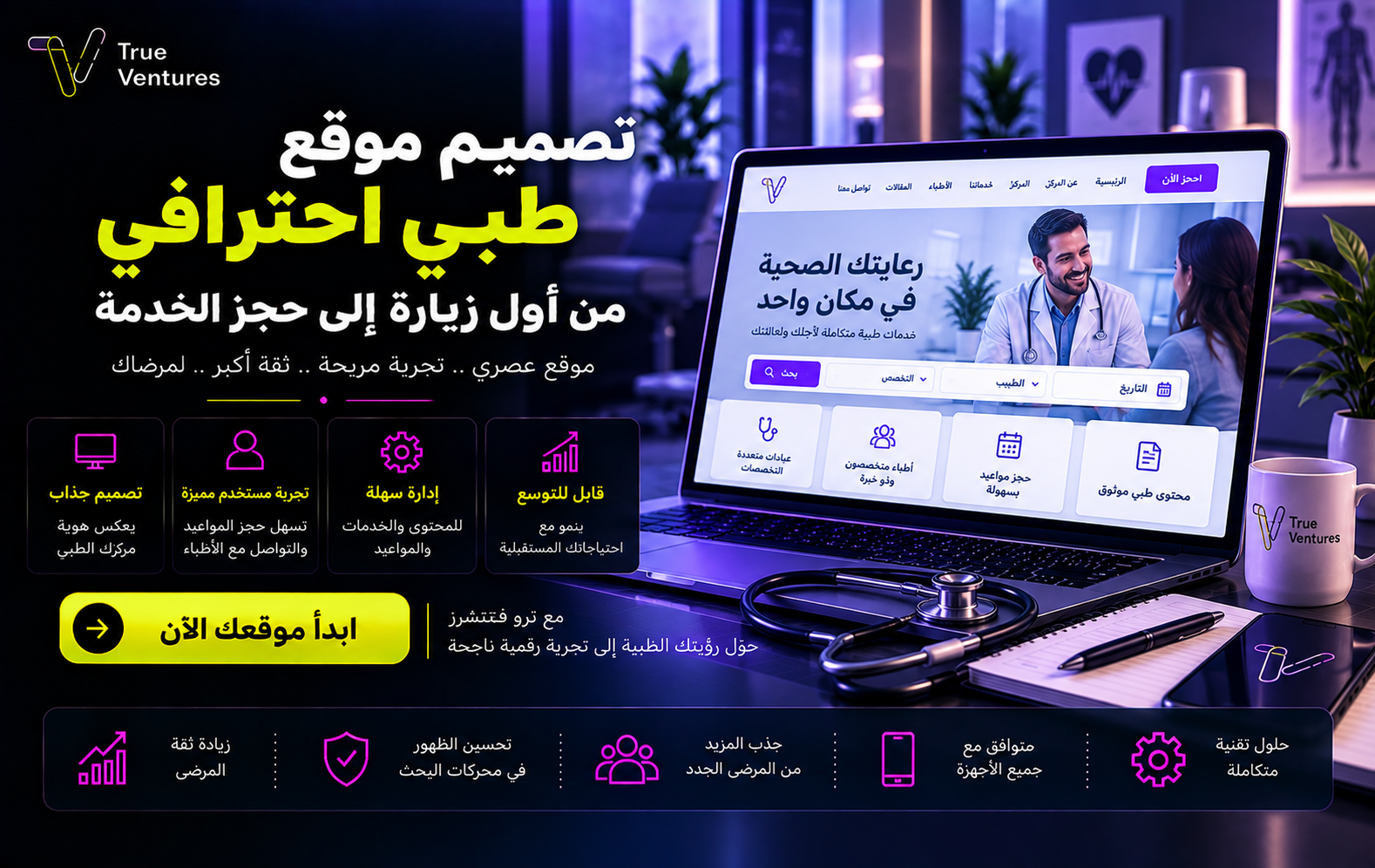
Medical website design means building a digital experience that helps visitors understand your services and specialties, get to know your care providers, and find a convenient way to get in touch or book. The site may serve a single clinic, a medical centre or a platform that brings together multiple providers and services. In every case, good design starts with one simple question: can people reach what they need without confusion?
A website is more than an attractive front. When the information is accurate, navigation is clear and the steps are short, the site becomes a practical point of contact between the healthcare organisation and the patient. If the project also has a mobile app, the roles can be split: the website introduces the services and attracts people searching for them, while the app makes it easy to return and use recurring services, depending on what the project actually needs.
Why a Professional Medical Website Matters
A patient’s journey usually starts with a question about a specialty, a doctor, a test or an appointment. A well-organised digital presence helps them find a clear answer before they call, and cuts down repeated questions about services, locations and opening hours. For the centre, that means better chances of receiving the right requests; for the patient, it means less time to reach the service they need.
Your website also shapes the first impression. A clear services page, up-to-date doctor profiles, published contact details and an understandable privacy policy are all signals that build trust. Ambiguity or a difficult booking process, on the other hand, can push visitors to leave even when the service they need is available.
The website also gives you a space you own to present your specialties, branches and informational content in your own language and brand identity. It can grow with the practice: a new specialty, a branch page, a booking experience or a new service can all be added without reintroducing the organisation to the public from scratch.
Essential Elements of a Professional Medical Website
A Clear Service Structure
Start by grouping services the way people search for them: clinics and specialties, consultations, lab tests, radiology or home services where available. Each page should explain what the service is, who it is for and the right next step, while avoiding absolute promises about treatment outcomes. Good organisation helps both visitors and search engines understand how pages differ.
Doctor and Centre Pages
List the specialty, qualifications, experience, where the service is provided and availability, as long as this information is verified and up to date. You can add real photos and a short introduction to help patients choose the right provider. Never display ratings, figures or certificates until you have confirmed they are accurate and that you are allowed to use them.
Booking and Contact in Clear Steps
Place a clear booking or contact button where users expect it on both phone and desktop. If online booking is available, make the path easy to follow: choose the service or doctor, then the appointment slot, then review the details and confirm the request. Show users clearly whether their appointment is confirmed or still awaiting confirmation.
A Fast, Responsive Experience
Many visitors start on their phones, so buttons must be easy to tap, text must be readable and forms must be short. Carefully compressed images and lightweight pages help visitors reach information without long waits, especially when moving between sections.
Privacy and Trustworthy Content
If the website collects personal or health data, define exactly which data is needed and why, control who can access it, and apply the appropriate safeguards and relevant regulatory requirements. Medical articles should clearly state their sources, medical review and last update date, and keep general health education separate from individual diagnosis.
A Real Example: The Al Doctor Website and App
The Al Doctor project, delivered by True Ventures, shows how a website that presents services can work alongside an app that helps users explore them on mobile. The website lists categories such as medical consultations, laboratories, pharmacies, a store and other services. The app screenshots below show how some of these paths were organised visually, from the clinics screen to laboratories, consultations and the store. These images are from the app, not screenshots of the website’s pages.
Image 1 – Clinics screen: a list of hospital clinics with a search field, showing the value of grouping services when there are many healthcare providers.
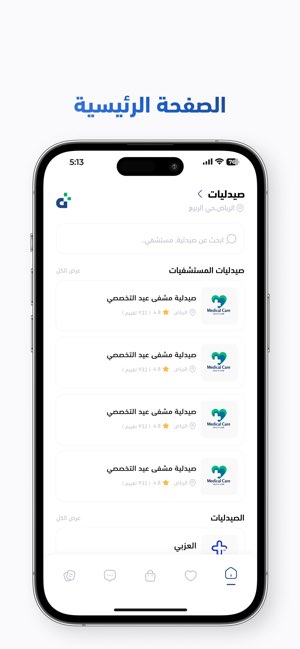
Image 2 – Laboratories: a dedicated category for labs with browsable items, instead of putting every medical service into one long list.
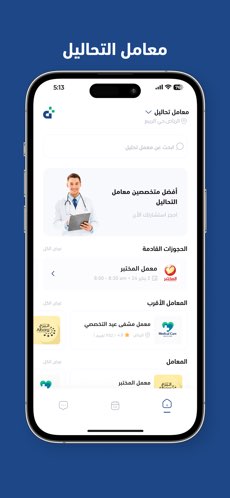
Image 3 – Other medical services: the search screen and a list of service providers shown in the app, highlighting why users need a path to find a specific service.
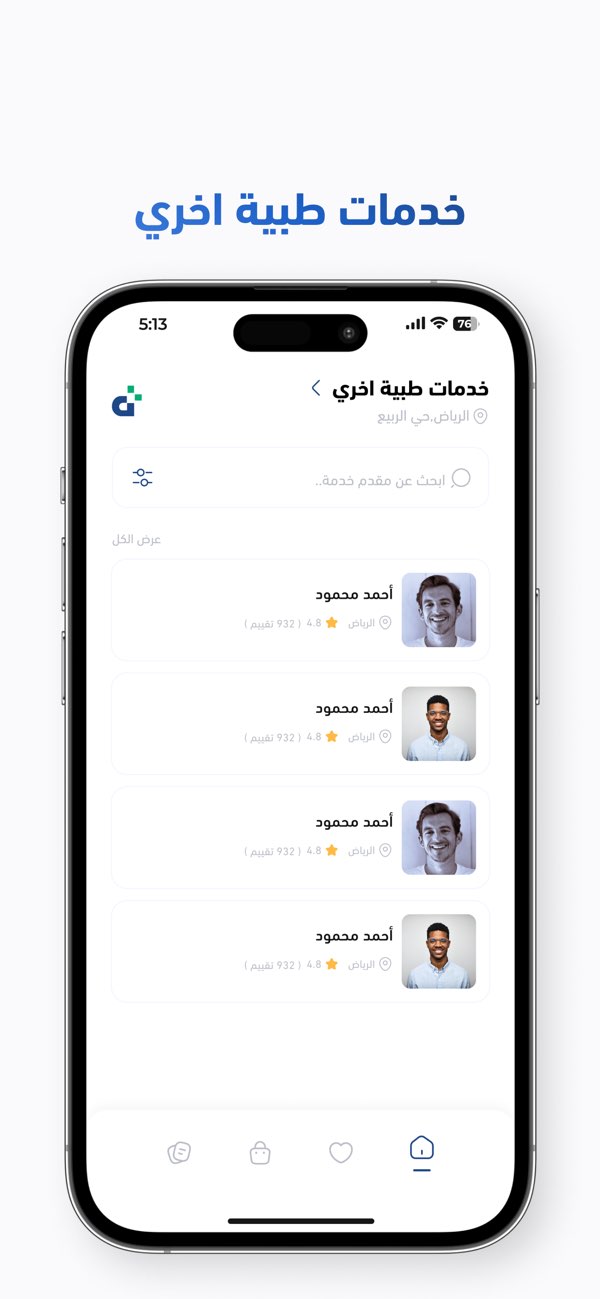
Image 4 – Medical consultation: brings medical departments and the service provider together on one screen, making the choice easier for the user.
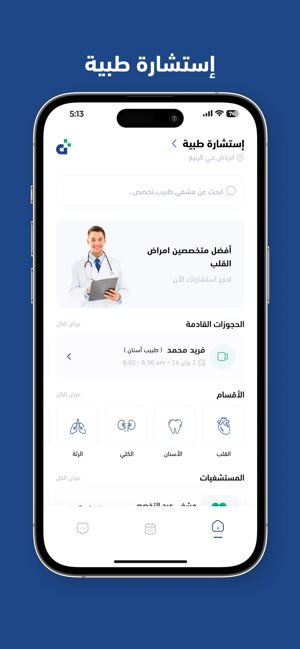
Image 5 – In-app store: displays categories of medical supplies and products as part of the project’s digital experience.
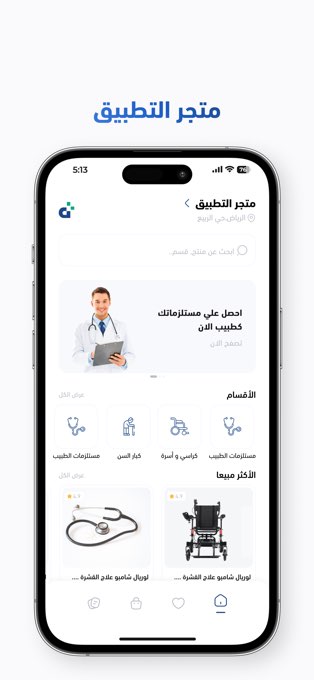
The value of this example lies in seeing the user journey across several services, with each group organised under a clear label. The scope of any new medical project varies with its audience, the services it is licensed to provide and how it operates, which is why successful design starts with understanding the business before choosing screens and features.
Benefits of a Medical Website That Serves Your Practice
The biggest benefit is easy access: patients find the specialty, branch or contact method without digging through unclear pages. Next comes a clear identity: consistent colours, fonts, images and tone of voice create a familiar experience on every page. Then there is scalability: new services and pages can be added as the organisation grows, provided the content structure and technology are built to support that growth.
A good website also makes results easier to track. By measuring visits to service pages, clicks through to the booking form and completed requests, the team can see where visitors struggle and which pages deserve improvement. Traffic alone does not mean success; the measure closest to the goal is whether users reach the right service easily.
When the website and app are designed with one consistent vision, users get the same visual language and service names across both channels. This consistency reduces confusion and strengthens brand recognition, while each channel keeps a defined role in the user journey.
Common Mistakes to Avoid When Building a Medical Website
The first is copying a generic description for every specialty: patients want to know what your practice actually offers, not phrases that could fit any website. The second is hiding contact or booking details inside hard-to-reach pages. The third is showing outdated appointment times or doctor details; stale information weakens trust in the rest of the content.
Other mistakes include publishing medical text without review by a specialist, presenting treatment results as guaranteed, or collecting detailed data that an appointment request does not need. Heavy images and crowded menus can also hurt the mobile experience. Before launch, test the whole journey as a new user would: search for a service, open its provider’s page and try to book an appointment on a small screen.
What Makes a Good Medical Website?
A good medical website quickly answers four questions: What service is available? Who provides it, and where? How do I get in touch or book? And how is my data used? If visitors have to guess at any step, there is room to improve the experience.
Start with a clear map of categories and pages, and write in language your audience understands without dropping medical terms where they are needed. Use images that accurately reflect the service, and distinguish between educational information and information about booking a service. Then review your forms and confirmation messages, and assign someone to keep appointments, medical profiles and content up to date.
At True Ventures, building a digital product starts with studying the client’s business and users’ needs, followed by designing, developing, testing and launching the experience and supporting its growth. This sequence matters for medical projects because their success depends on everyday usability details as much as on how the interface looks.
How Does Medical Website Design Affect SEO?
A clear structure helps search engines understand what each page is about: a dedicated page for each specialty, an accurate service description, a clear title and content that answers visitors’ questions. Readable text on mobile, fast loading, internal links between related pages and accurate image alt text all support how easily your content is discovered and understood.
If your goal is to attract people searching in a particular city or service area, branch details, coverage areas and opening hours must be correct and consistent, and your pages should explain what the organisation offers at each physical location. There is no need to stuff the city name or the phrase “medical website design” into every line; the priority is a useful answer that reflects reality.
To improve the chances of your content appearing in AI-powered search answers, write direct definitions and specific answers, show the project’s practical expertise, and publish verifiable details instead of generic claims. In healthcare especially, reviewing health content helps build credibility. Eligibility to appear still depends on the page being indexed, its quality and its relevance to the query, and no fixed ranking or appearance in search results or AI summaries can be guaranteed.
Start Your Digital Healthcare Project With True Ventures
Whether you run a clinic or a centre, or are planning a platform that brings together multiple health services, medical website design tailored to your business model can make the first contact with patients clearer and easier. A website lets you present your services in an organised way, and the project can extend to an app when the user journey justifies it.
True Ventures brings together requirements analysis, user experience (UX) design, website and app development, testing and post-launch follow-up. Talk to the True Ventures team and tell us about your idea, your services and the audience you want to reach, so we can turn them together into a practical digital experience worthy of your healthcare practice.
FAQs About Medical Website Design
What pages does a medical website need?
Typically the homepage, services and specialties, doctor or provider pages, branches, booking or contact, FAQs and a privacy policy. The final structure depends on the services your organisation actually offers.
Is a medical website enough, or do I need an app too?
It depends on your audience’s behaviour and how often they use your services. A website may be enough to present your services and receive requests, while an app helps when users need to return frequently or follow several services from their phone.
Does a medical website help a clinic rank on search engines?
Yes, when it offers clear pages, accurate information, useful content and a good mobile experience. But results are affected by competition, the quality of execution and ongoing updates, and simply building a website does not guarantee top rankings.
Can booking, consultations and lab tests be offered in one project?
Yes. An experience can be designed to combine several service paths if this fits your operating model and the applicable requirements, with each category organised and its steps and permissions clearly defined.
How do I choose a medical website design company?
Look for a clear understanding of your audience, booking journey and the scope of data required, review work tied to real service experiences, and agree on testing, support and updates before development begins.
Turn this guide into a plan.
Tell us where you are today. Our team will map the next steps with you.
The quickest way
Have a question? Ask us on WhatsApp.
Tell us what you are planning and our team will point you to the right people — no form to fill in.
We usually reply within minutes during working hours.